5 FREE Canva Templates for Instagram: Save Time & Elevate Your Feed
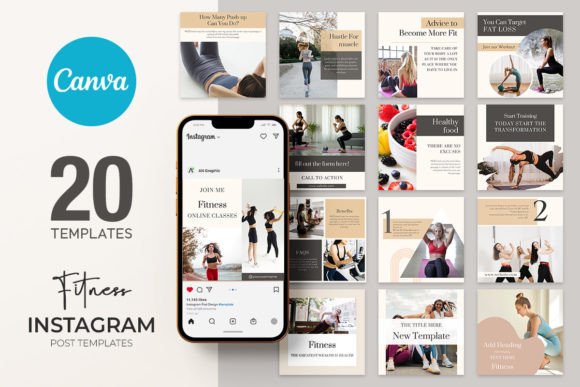
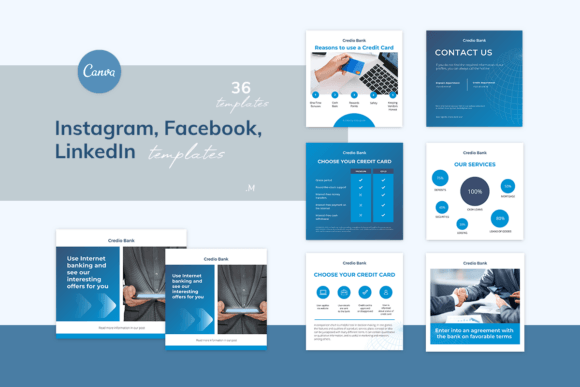
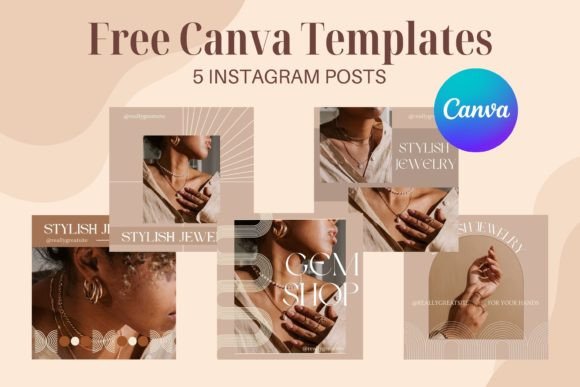
Creating a consistent, professional-looking Instagram feed takes effort. Between brainstorming content ideas, designing visuals, and ensuring everything aligns with your brand, the process can feel overwhelming. This is where a curated set of 5 FREE Canva templates for Instagram posts can become a practical tool in your content creation toolkit. These templates offer a starting point, designed to help you produce polished graphics quickly without starting from a blank canvas.
What Exactly Are These Canva Templates?
These are pre-designed graphic layouts specifically created for Instagram's square post format. You receive a downloadable package containing a PDF with a direct link. Clicking that link opens the template directly in your Canva account, where every element is fully editable. You can change colors, fonts, images, text, and layout components to match your personal or business brand. The package works seamlessly for both free and Pro Canva users, making it accessible to everyone.
The value here isn't just in having a pretty design. It's about reducing the friction in your workflow. Instead of spending 30 minutes on a single post, you can adapt a template in 5-10 minutes, allowing you to focus more energy on your message and engagement strategy.
Maintain Visual Consistency Across Posts
A disjointed feed can confuse your audience. When your posts share a cohesive color palette, typography style, and layout rhythm, your profile becomes instantly recognizable. These templates provide a unified foundation. For example, a small business owner promoting weekly specials can use the same template structure each week, simply swapping out the product image and details. This creates a familiar, professional look that builds brand recognition over time.
Accelerate Your Content Production
Time is a limited resource, especially for solopreneurs, freelancers, and content creators wearing multiple hats. The structured nature of these templates means you don't face the "blank page" problem. You have a clear framework to populate with your content. A blogger preparing a week's worth of posts can quickly adapt different templates for quotes, tips, announcements, and promotional content, ensuring variety without sacrificing design quality.
Support Creative Experimentation Safely
Want to try a new content format or visual style but unsure how it will look? Templates allow you to experiment with layout and composition without significant time investment. You can test how a carousel-style post works with your content or try a bold new color scheme. If it doesn't resonate, you haven't lost hours of work. This lowers the barrier to creative risk-taking, which is essential for growth on a visual platform.
How to Get Started and Make Them Your Own
The process is straightforward, designed to get you editing quickly.
- Download the Package: After acquiring the templates, you'll receive a ZIP file containing a PDF.
- Access in Canva: Open the PDF and click the provided link. This will automatically open the template in your Canva account. Ensure you are logged in.
- Customize Completely: This is the crucial step. Change the placeholder text to your own message. Replace stock images with your own photos or graphics. Adjust colors to your brand palette. Modify fonts if desired. The template is a mold, and you are shaping it with your unique content.
- Export for Instagram: Once satisfied, download your final design as a high-quality JPG file, ready for upload.
An important note on customization: Some templates may include elements marked as "Pro" in Canva. If you're using a free account, you have two simple options: remove those specific elements or replace them with your own graphics, photos, or free alternatives from Canva's library. This ensures the template remains fully functional regardless of your subscription level.
Who Will Benefit Most from These Templates?
While useful for anyone posting on Instagram, certain groups may find them particularly valuable:
- Small Business Owners & Entrepreneurs: Who need to maintain an active social media presence but lack a dedicated designer. These templates help create professional announcements, product features, and sale promotions efficiently.
- Content Creators & Influencers: Who require a steady stream of visually engaging posts to maintain audience interest. Templates provide a reliable system for producing quotes, tips, and engagement-driven content.
- Freelancers & Consultants: Who use Instagram to showcase expertise and attract clients. Clean, professional templates for sharing insights, case studies, or client testimonials can enhance credibility.
- Bloggers & Educators: Who repurpose content from other platforms. A blog post can be distilled into a series of Instagram posts using these templates, extending the reach of their ideas.
Even hobbyists who simply want a more polished personal feed can benefit. The goal is to make good design accessible, not to turn everyone into a professional graphic designer.
Maximizing Value: Tips for Effective Use
To get the most out of these 5 FREE Canva templates for Instagram posts, consider these practical approaches:
- Plan Your Content Batches: Use the templates to create a week or month's worth of content in one sitting. This batch production method is far more efficient than designing posts one-by-one as needed.
- Create a Style Guide: As you customize the templates, document your specific color codes, font choices, and preferred layouts. This ensures consistency even when using different templates over time.
- Adapt, Don't Just Adopt: The true power lies in customization. Change the layout structure if needed. Add your logo subtly. Make the template work for your specific message, not the other way around.
- Pair with a Content Calendar: Align your templated designs with a content strategy. Use one template style for educational posts, another for promotions, and a third for community engagement. This systematic approach strengthens your overall Instagram presence.
Understanding the Limitations
Templates are tools, not magic solutions. They provide structure and speed, but your unique content and strategy are what ultimately drive results. A beautifully designed post with a weak message or poor targeting won't perform well. Similarly, if every account used the same templates without customization, feeds would become generic. The key is to use these as a foundation for your own creativity, not as a replacement for it.
Also, while these templates are optimized for Instagram's square format, always preview your final design on your phone before posting. Ensure text is legible and key elements are visible, especially in the areas where Instagram may crop slightly.
Building a Sustainable Instagram Presence
Ultimately, these 5 FREE Canva templates for Instagram posts are about building sustainable habits. By lowering the time and technical barriers to creating quality visuals, you can maintain a more consistent posting schedule. Consistency, combined with valuable content, is what helps you grow your audience, strengthen your brand, and achieve your goals on the platform—whether that's driving website traffic, building community, or generating sales.
They are a practical starting point for those new to design, and a time-saving asset for experienced creators. The flexibility to edit everything means they can evolve with your brand. Think of them as a helpful assistant in your content creation process, one that handles the design heavy lifting so you can focus on connecting with your audience.
Your feedback and suggestions are always welcome as you use these tools. Thank you for visiting, and happy creating!